CONVERGE · KNOWLEDGE, STRUCTURED

Turn thoughts into structured knowledge.

Converge is a gesture-driven knowledge structuring app. Drop in a PDF, paste a block of notes, or swipe ideas straight onto the canvas — cloud AI turns everything into a visual map you can navigate, restructure, and make your own.

iPhone · iPad

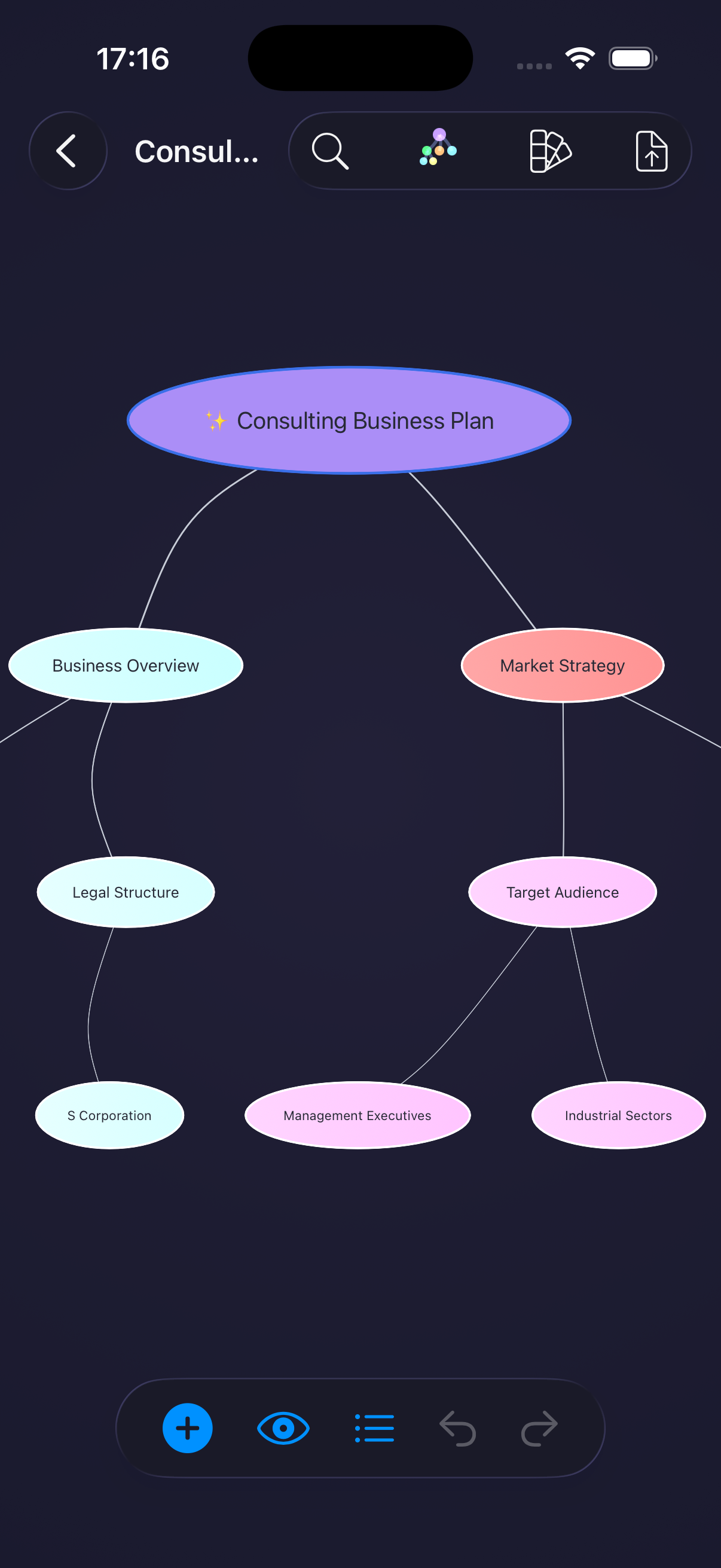
Converge mind map canvas showing a Consulting Business Plan as the central node with branches for Business Overview, Market Strategy, Legal Structure, Target Audience, and related items.

AI · IMPORT · STRUCTURE

AI that thinks in maps, not paragraphs.

Drop in a PDF or text file. Converge sends the content to the cloud, extracts the underlying ideas, and hands you a structured map — with hierarchy, cross-links, and a depth level you can dial in.

ai/import · pdf · text ai/depth · simple → deep ai/structure · hierarchy + links
Converge AI Import sheet with depth selector showing Simple, Standard, Detailed, and Deep options, and a Choose File button for PDFs and text files.
powered by google gemini
Converge canvas with a Forecast node highlighted by a dashed outline and a swipe-down prompt demonstrating the gesture to add a child node.

GESTURES · FLOW

Think at the speed of gesture.

No menus, no toolbars, no right-click. Every action lives on the canvas — on the node you're touching, in the direction your thought is going.

  • gesture.down add a child idea
  • gesture.right add a sibling
  • gesture.left collapse a branch
  • gesture.drag reparent anywhere

LAYOUTS · PERSPECTIVE

Four views. One idea.

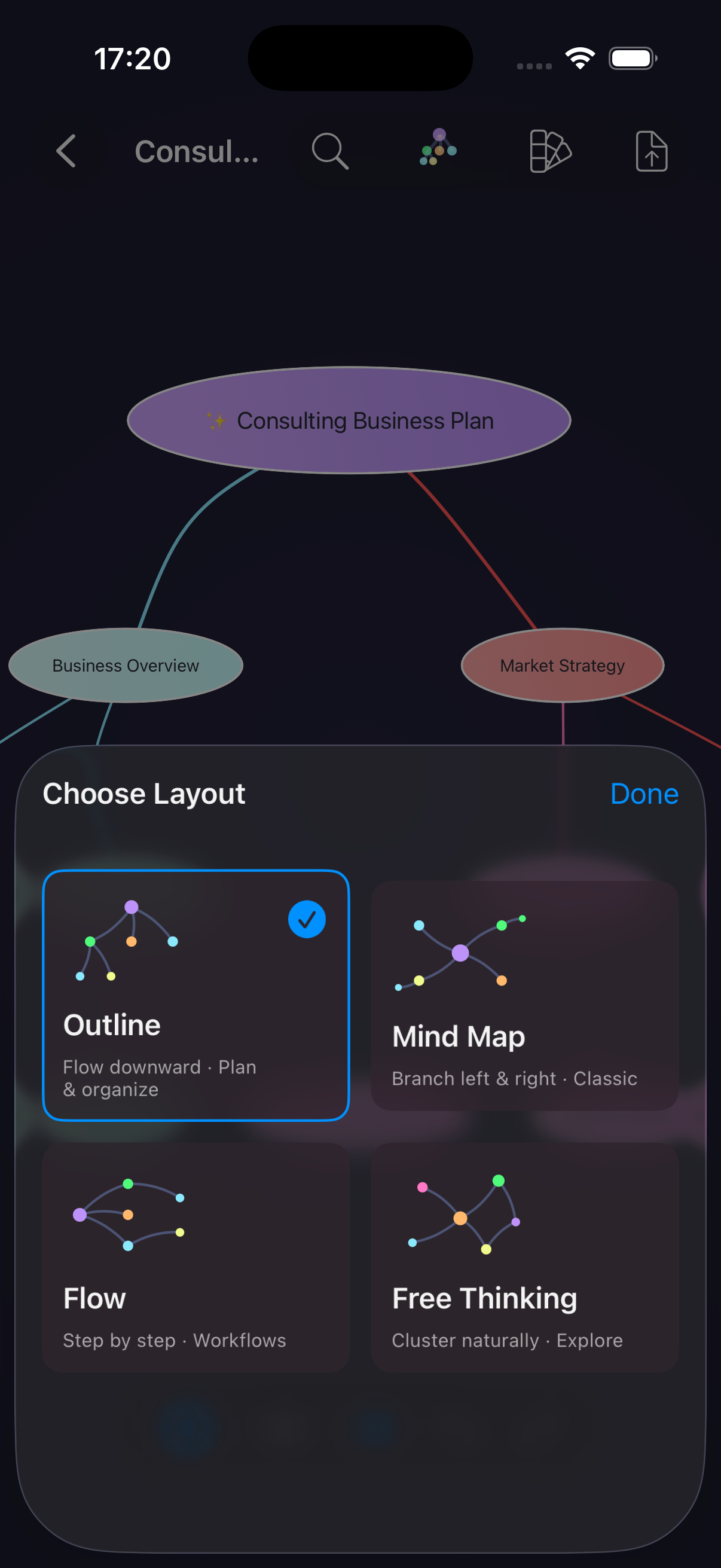
The same knowledge looks different depending on the question you're asking. Switch layouts live — Converge re-lays your map with a smooth animation, preserving every node, edge, and cross-link.

01 · mind map

Radial

Branch left and right around a central idea.

02 · outline

Top-down

Flow downward — plan and organize.

03 · flow

Left-to-right

Step-by-step processes and workflows.

04 · free

Clustered

Cluster ideas naturally — explore.

Converge Choose Layout sheet displaying Outline, Mind Map, Flow, and Free Thinking options with small preview diagrams.

THEMES · AESTHETIC

Pick your aesthetic.

Every theme is a fully considered palette — colors, node shapes, edge styles. Change the look of an entire map in one tap.

Converge theme picker showing a grid of themes including Default, Monochrome, Nord Frost, Catppuccin Mocha, Tokyo Night, Dracula, Solarized Light, and Rosé Pine.
Default Monochrome Nord Frost Catppuccin Mocha Tokyo Night Dracula Solarized Light Rosé Pine

USE CASES

From scattered input to structured knowledge.

Converge isn't a notebook. It's a way to turn input — any input — into a shape you can navigate, revise, and share.

01 · research

Read less, understand more.

Import papers and reports. Get back a navigable outline with claims, evidence, and open questions pulled apart.

02 · learning

Readings become study maps.

Drop in a textbook chapter or paste your notes. Converge structures them into a study map with branches for topics, terms, and follow-ups.

03 · planning

Projects you can move.

Break a project into branches, reparent as things change, switch to Flow when it's time to execute. One canvas from brainstorm to plan.

DOWNLOAD

Your thinking deserves structure.

Download on the App Store

iphone · ipad

STUDIO

ABOUT THE STUDIO

Converge is crafted by Silkway Studio — a one-person studio inspired by the ancient trade routes that connected worlds through craft and exchange. We build native tools for Apple platforms, with a bias for quiet interfaces and deliberate choices.

hello@silkway.studio